
Make a Custom Phone Case From Your Photo
A custom phone case starts with the phone you carry, then the case style that is available for that model, and finally your photo, color, and short text. If you want to design your own phone case, begin by matching the device exactly. Then use the preview to place the image around the camera opening and outer edges before you add it to your cart. This process works for a custom phone case with picture, a color-only design, or a simple name design.
You can start from the main designer at Customize or browse phone-case options on Phone Cases. The key is to move in the right order: model first, case type second, artwork third.
Start with the exact phone model
Phone cases are not interchangeable across similar model names. A camera block, button layout, and overall size can change between models that sound close to each other. For example, iPhone 17 and iPhone 17 Pro Max use different cases. Galaxy S25 and S25 Ultra are different, and Pixel 10 and Pixel 10 Pro XL are different too.
If you are unsure, check the model name before choosing. On an iPhone, go to Settings, General, About. On Android, go to Settings, About phone. If you are buying the case as a gift, ask the person for the model or check the box. Choosing the wrong device is a common reason a case will not fit.
The brand filter in the first step helps narrow the list. Shoppers looking for a custom phone case Samsung style or a personalized phone case for iPhone should still select the exact listing shown in the designer, because each phone model lists only the case types made for it.
Pick the case style offered for that model
After the model is selected, Sizbo shows the case styles available for that specific phone. Options can include Tough, Snap, Clear, MagSafe Tough, MagSafe Clear, and Magnetic Tough on Android. If a style is not shown for the phone you picked, it is not made for that model.
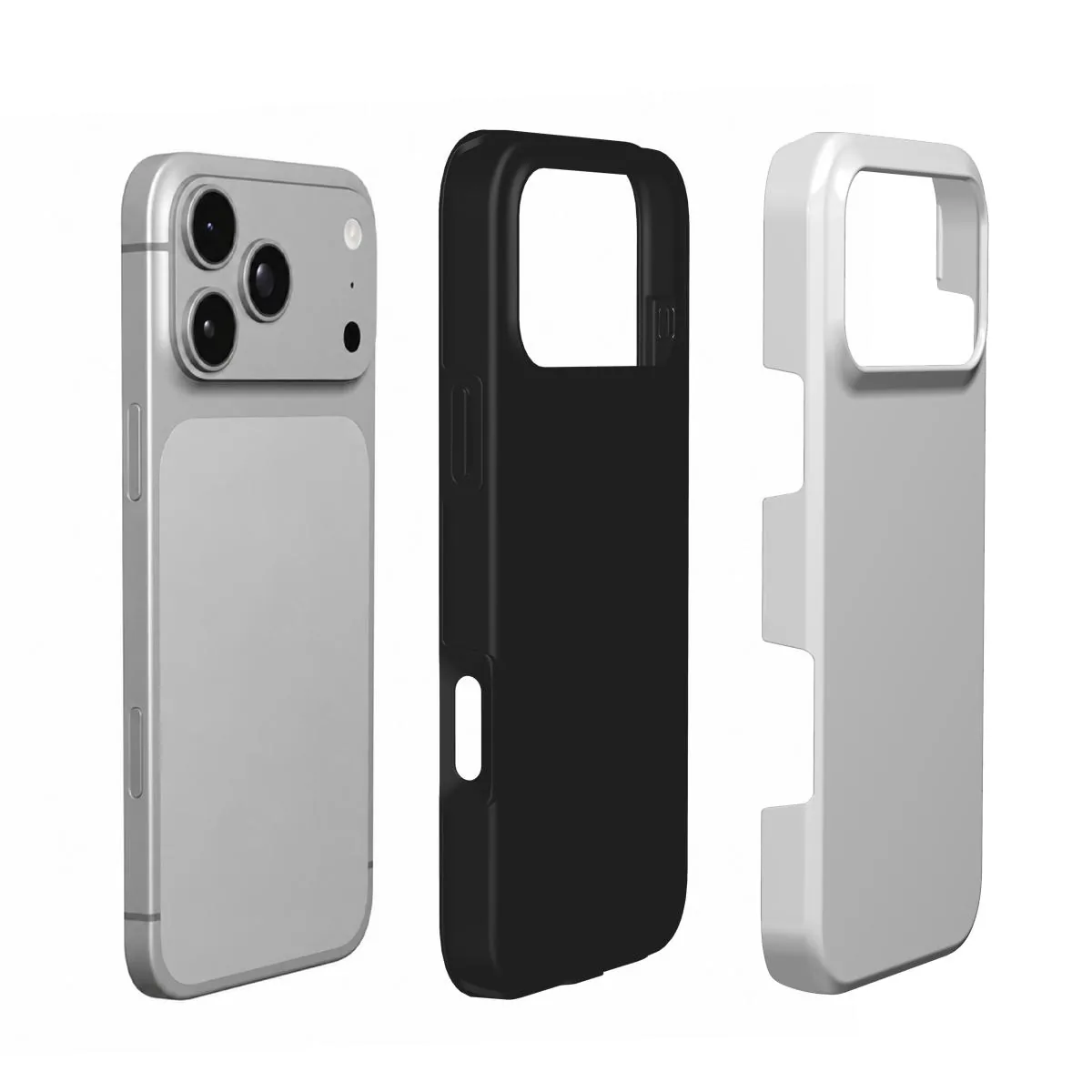
- Tough: a printed rigid outer shell with a shock-absorbing liner.
- Snap: a slim, lightweight choice.
- Clear: a way to keep the phone color visible around the print.
- MagSafe Tough and MagSafe Clear: options for magnetic chargers and accessories when listed for the chosen model.
- Magnetic Tough on Android: shown only where it is made for that Android model.
For more help comparing styles, read Choose a Phone Case Material. If you also want matching magnetic accessories, see Phone Accessories.
Add the photo, color, and text
In the design step, tap the case to choose an image. The photo remains on your device during editing and is uploaded only when you select Add to cart. Sizbo uses one photo per case, so if you want several pictures on one personalized phone case, first make a collage in a photo app and save it as a single image.
- Photo and background: choose or replace the picture and select a background color. The color appears wherever the image does not cover the case. You may also create a design with only a color, with or without a name.
- Transform: after a photo is added, move it with a mouse or finger. Pinch or scroll to zoom. Rotate in small steps. The faded area outside the case shows the part of the image that will not be printed.
- Text: add one short line, then choose its style, size, color, and position.
- Undo and Start over: Undo reverses the most recent edit. Start over clears the design so you can begin again.
Choose a photo that prints well
The image should look clear when viewed large, not only as a small thumbnail. Use the original from the camera roll when possible. Screenshots, social-media downloads, and images sent through messaging apps can lose detail because they are compressed.
Zoom in on the screen before ordering. If eyes, fur, faces, or object edges already look soft, the print can look soft too. Daylight photos usually show cleaner detail and more accurate color than dark evening shots.
Composition matters as much as sharpness. Put the main subject in the center or lower center of the back. Keep important details away from the camera opening and the outer rim. A phone back is tall, so portrait images fit more naturally than wide landscape pictures. With a wide image, zoom and drag until the most important part fills the printable area.
Make text easy to read
A short name, date, or two-word phrase is easier to read than a long sentence. Place letters over a calm area of the picture. Use contrast: dark text on a light area or light text on a dark area. Check spelling carefully, because the case is made with the wording shown in the preview.
Review before adding to cart
Hold the preview at a normal viewing distance and check the design like you would see it in your hand. Make sure faces are recognizable, the subject is not too close to the camera opening, and the text is readable. When it looks right, use Create your case to continue.
Popular models
- Samsung Galaxy A54 5G
- Samsung Galaxy A14 5G
- Samsung Galaxy A55
- Samsung Galaxy S26
- iPhone 17 Air
- Xiaomi Redmi Note 12 Pro 5G
More photo gift ideas
Case designs can start with many kinds of photos. For inspiration, see the Sizbo guides for dog photo phone cases, cat photo phone cases, couple photo phone cases, family photo phone cases, baby photo phone cases, best friend phone cases, and travel photo phone cases. You can also use photos on other Sizbo products, including mugs and bottles, posters, desk mats, and laptop and tablet cases.
Shipping, timing, and returns
Shipping is included in the price where Sizbo delivers. After payment, orders are made and dispatched within 2 business days. For current delivery details, visit Shipping.
Because each case is made for your selected model and design, it cannot be returned because the wrong photo, spelling, or model was chosen. If the order arrives damaged or does not match the preview, contact Sizbo with the order number and a photo. For details, see Returns.
Questions
Can I make a case for any phone shown in the designer?
Yes. Choose the phone model first, then select from the case types displayed for that model.
When does Sizbo receive my image file?
The image stays on your device while you edit. It is sent only when you add the design to the cart.
Can I create a case with multiple pictures?
Sizbo prints one uploaded image per case. To use several photos, combine them into a collage first and upload that single file.
What should I check if I am buying for someone else?
Confirm the exact phone model before ordering. Similar model names can use different case sizes and camera openings.
Can I use the same photo on other products?
Yes. Sizbo can print customer photos on items such as mugs, bottles, posters, desk mats, laptop and tablet cases, and selected accessories.