
How to Make a Couple Photo Phone Case
A couple photo phone case works best when the picture is planned for the tall, narrow shape of a phone. Many relationship photos are horizontal, with two people beside each other and scenery behind them. In Sizbo’s designer, you can choose the phone model, pick an available case type, then crop the picture so faces, text, and important details stay away from the camera cutout and outer edges.
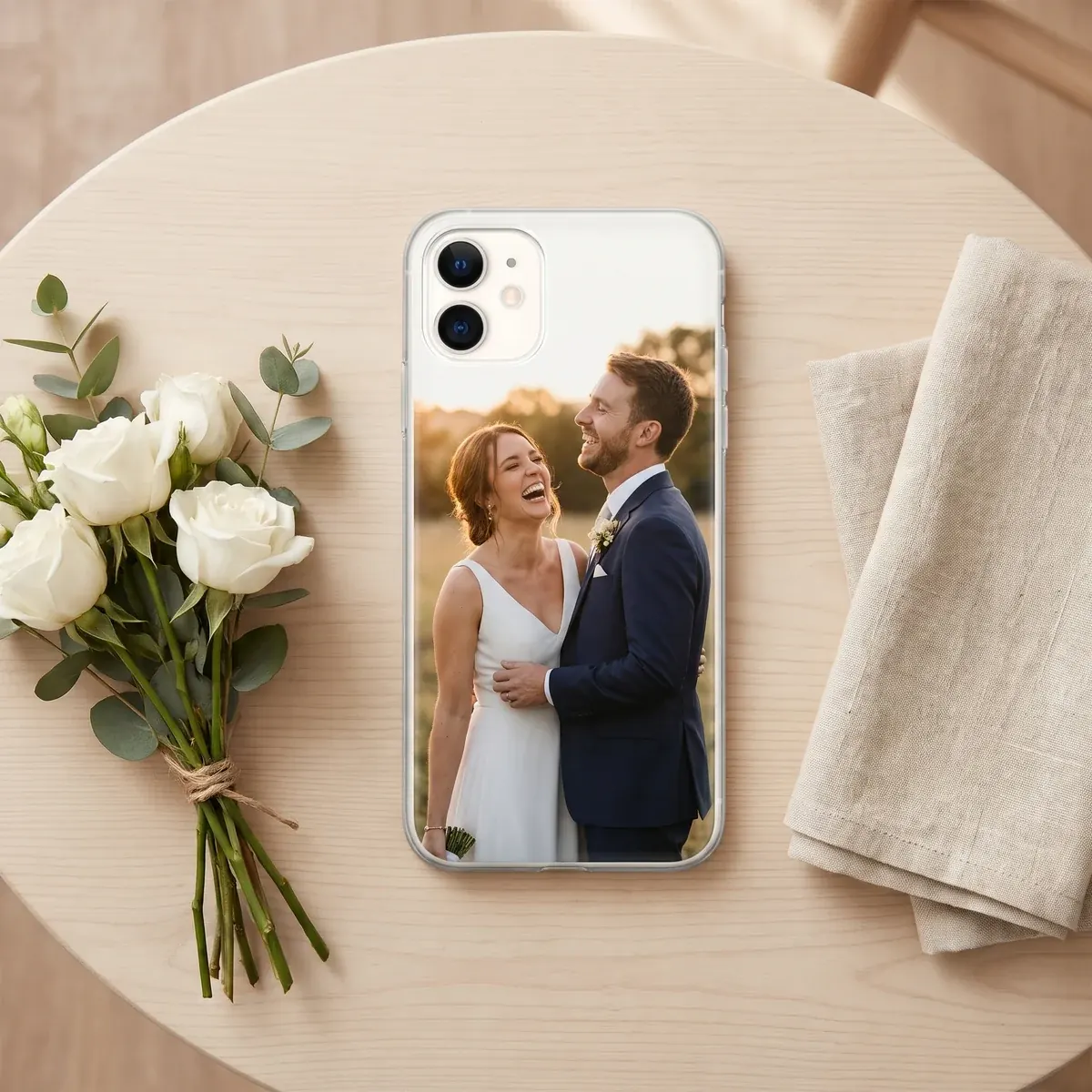
Start with the right kind of picture
For a couple phone case, choose an image where you are physically close in the frame. Selfies, hugs, kisses, and photos with both heads leaning in are usually easier to place than wide vacation shots. If there is a large gap between the two of you, cropping for a slim case can push one person toward the side, where the case rim or camera opening may interfere with the face.
Light matters, too. A photo where both faces are lit in a similar way will print more evenly than one where one person is bright and the other is in deep shade. Daylight photos often have cleaner detail and more natural color than darker evening images.
Black-and-white pictures can be a strong choice, especially on a Clear case. The phone color can show around the image, and a white or sand background color can give the design a simple framed look. If you edit the image before uploading it, keep the original resolution rather than saving a smaller copy.
Check sharpness before you upload
A phone case shows more detail than a small thumbnail on your screen. Before making the case, look at the file closely so you do not end up printing blur, compression, or grain.
- Use the original photo from the camera roll whenever possible. Screenshots, messaging-app images, and social-media downloads may have lost detail.
- Zoom in on the faces. If the eyes, hairline, or edges already look soft, the print will not make them sharper.
- Favor clear lighting. Brighter photos usually hold detail and color better than low-light shots.
Place both faces in the safe part of the case
The designer shows the camera area for the model you selected. Keep both faces centered, with some space above the heads. If a face is too close to the camera opening, move the image down or zoom out a little. Important details should also stay away from the outer sides, because the case shape and edges leave less room than a flat poster.
Sizbo uses one photo per case. If you want a then-and-now layout or several photos together, first make a single collage image in a photo app, save it, and upload that file. A photo phone case custom picture design should be treated as one finished image before you add it to the case.
Design matching phone cases for two models
Matching phone cases can use the same photo, but each phone model needs its own design. Camera openings are not in the same place on every phone, so a crop that works for one model may cover a face or text on another. Design the first case, then begin again for the second phone and adjust the image for that model’s preview.
If you searched for something like photo phone case iPhone 17, photo phone case iPhone 15, photo phone case iPhone 14, photo phone case iPhone 13, photo phone case iPhone 16, photo phone case iPhone 17 Pro, photo phone case iPhone 17 Pro Max, or photo phone case Samsung S25 Ultra, start by choosing the exact model in the designer. Each phone model page lists only the case types Sizbo makes for that model.
Add short text carefully
A date, city, or nickname is usually enough. Keep the line short, place it on a calmer part of the image, and keep it away from the camera area and the sides. In the designer, you can add one short line of text and adjust its style, size, color, and position. Read the spelling twice before adding the case to your cart.
Pick a case type that fits the design
Sizbo prints customer photos on Tough, Snap, Clear, MagSafe Tough, and MagSafe Clear phone cases where those options are listed for the selected phone model. On Android, Magnetic Tough may be available where it is listed. Clear can work well with black-and-white couple photos, Tough is an option for a phone that is carried everywhere, and Snap keeps the case thin. For a side-by-side comparison, read Choose a phone case material.
You can browse the full phone case area at custom phone cases, or go straight to the designer when you are ready to build the case.
Use the designer in the right order
- Choose the phone model first. Pick the model for the person who will use the case.
- Select a listed case type. The page only shows case types Sizbo makes for that model.
- Add and adjust the photo. The photo stays on your device until you select Add to cart. Drag and zoom the image, choose a background color, and position the faces away from the camera opening.
- Add one short text line if wanted. Set the style, size, color, and position, then use Undo if needed or Start over if you want to reset the design.
Common design problems to avoid
- Too much width in the original photo. A far-apart couple can be difficult to fit without losing one face at the edge.
- Using one crop for two different phones. Reposition the image for each model before ordering a couple phone case matching set.
- Long text. A longer message can collide with faces, the camera opening, or the case edge.
Ordering, shipping, and returns
When the preview looks right, add the case to your cart. Sizbo makes and dispatches orders within 2 business days after payment. Shipping is included in the price where Sizbo delivers; you can read more on shipping.
Because the case is made with your selected photo, text, and phone model, it cannot be returned for a wrong image, spelling mistake, or incorrect model choice. If the order arrives damaged or does not match the preview, contact Sizbo with the order number and a photo. See returns for more information.
If the picture is from a ceremony or engagement shoot, you may also like wedding photo gifts. Sizbo also prints photos on mugs, bottles, posters, framed posters, desk mats, MacBook, iPad and Kindle cases, AirPods Max covers, and magnetic phone accessories, including a grip, wallet, and ring holder. You can explore more gift ideas at photo gifts.
Questions
Can I upload two separate couple photos to one case?
The case designer accepts one photo for a case. To use two moments together, make a single collage in a photo app first, then upload that saved image.
Why does the crop need to change for matching cases?
Different phone models have different camera openings. Create each case separately so the faces and text sit correctly on that model.
What should I do if my favorite photo is horizontal?
Try it in the preview and zoom or move it until both faces are centered. If one person falls near the side, choose a closer photo.
Can I add words to the design?
Yes. You can add one short line and adjust its style, size, color, and position. Keep it brief and check the spelling before ordering.