
Make a phone case from your travel photos
A travel photo phone case works best when your trip image is planned for the shape of a phone, not just for a screen. Most vacation pictures are wide, while a case is narrow and vertical. Before you upload, think about what should stay visible, what can sit behind the camera opening, and where a short place name or year might fit. You can start from Sizbo’s customizer or browse custom phone cases first.
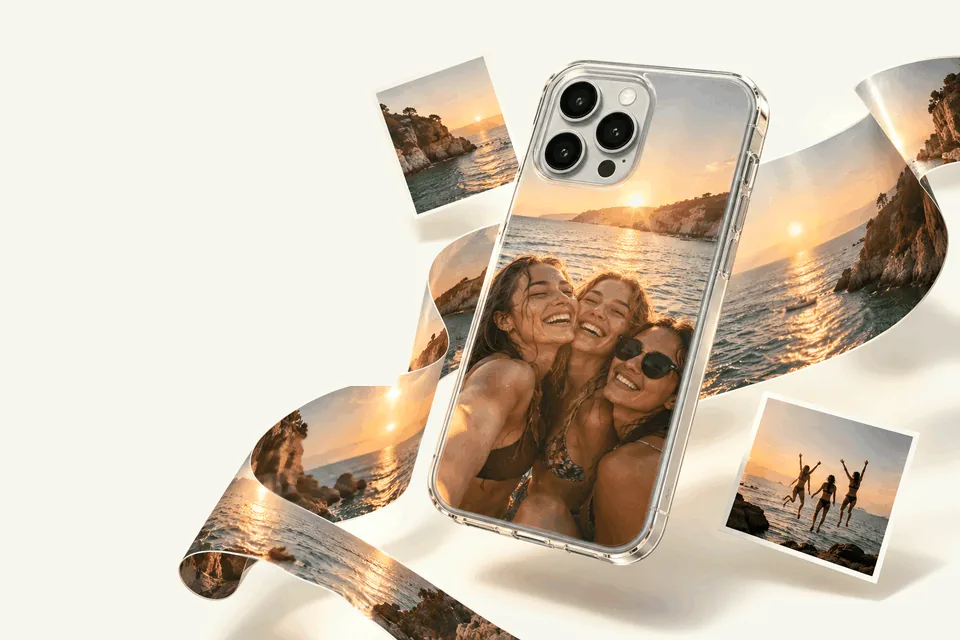
Start with the phone and case type
In the phone-case designer, the order is simple: pick the phone model, choose the case type, then design the print. Each model shows only the case types made for that model. Depending on the phone, Sizbo prints customer photos on Tough, Snap, Clear, MagSafe Tough, and MagSafe Clear cases; Android models may show Magnetic Tough instead. A travel phone case can be made only from the options shown for the exact model you select.
If you are shopping by model, you may be comparing searches such as photo phone case iPhone 17 Pro Max, photo phone case iPhone 16, photo phone case iPhone 17, photo phone case iPhone 14, photo phone case iPhone 13, photo phone case Samsung S25 Ultra, photo phone case iPhone 17 Pro, or photo phone case iPhone 15. Always choose the exact phone in the designer, because the camera opening and available case types depend on that model.
Pick a trip image that fits a tall print
Vertical subjects usually translate better to a case than long horizontal scenes. Think of buildings, waterfalls, trees, cliffs, portraits, towers, and narrow streets. A broad beach, skyline, or mountain range can still work, but it will need a crop. Instead of forcing the whole view onto the case, choose the most meaningful section, such as a person, a boat, a doorway, or one recognizable landmark.
Photos with open sky near the top are especially useful. The camera area is also near the top, so a plain sky behind it can keep faces, signs, and other important details away from the cutout. The same idea applies to calm water, blank walls, sand, or any low-detail area that will not look odd if part of it is interrupted.
Use the preview to protect the important part
After you add the photo, drag and zoom until the subject sits inside the printable area. The faded area outside the case shows what will be left out. If the person, landmark, or sign is still being cut too much, switch to a more vertical image before you continue. The photo stays on your device until you select Add to cart.
The designer also lets you add a background color, use Undo, and Start over. For a photo phone case with a single clean travel shot, keep the main details away from the edges and leave the top area as quiet as possible.
Make one trip collage before uploading
Sizbo’s case designer uses one photo per case. If you want the hotel view, a meal, friends, and a landmark together, create a collage in a photo app first, save it as one image, and then upload that combined file. A four-image layout can look like a small postcard from the trip. Mix close-up photos with wider scenes so the result does not feel packed from edge to edge.
Check sharpness before you design
A phone case is larger than the tiny preview you see in a camera roll, so weak image quality is easier to notice after printing. Before using a travel photo, check the file itself.
- Choose the original image. Use the camera-roll file rather than a screenshot, a social-media download, or an image sent through a messaging app, because those versions are compressed.
- Zoom in on the screen. If eyes, signs, or building edges look blurry when enlarged, they may also look soft on the case.
- Use good light when possible. Daylight photos usually show less grain and more accurate color than evening shots.
Straighten the view and add short text
A crooked ocean line or leaning skyline can distract from the memory you want to print. In the design step, use the Transform tool and its small-step rotate buttons until the horizon looks level. Then zoom in a little so empty corners do not appear.
For text, one short line is available. You can adjust its style, size, color, and position. A place plus year, such as Lisbon 2026, is usually enough. Put the words over sky, sand, or another quiet part of the picture, not over a detailed street scene or someone’s face. Light type can read well on blue sky, while dark type is easier to see on pale sand.
Choose a case style for the way you travel
Tough is a practical choice for travel days, bags, and airport floors. Snap and Clear are lighter options. If a MagSafe version is available for the selected model, the designer will show it. For a fuller comparison, read how to choose a phone case material.
If you searched for a travel phone case with strap or travel phone case with strap anti theft, note that this guide is about designing a printed case with your photo. Sizbo also prints matching photos on mugs and bottles, posters and framed posters, desk mats, MacBook, iPad, and Kindle cases, AirPods Max covers, and magnetic phone accessories such as a grip, wallet, or ring holder.
Design checklist
- Model: select the exact phone before choosing the case type.
- Case type: pick from the options shown for that model only.
- Photo: add one image, or upload a collage that you made in another app.
- Crop: drag and zoom so faces, landmarks, and text stay inside the case shape.
- Horizon: rotate in Transform if a sea or skyline is tilted.
- Text: add one short line and place it away from the camera opening and edges.
A souvenir or a travel gift
A custom travel case can mark a honeymoon, school trip, family vacation, or weekend away with friends. It can also be a gift for someone who was on the trip with you. If you are making it for another person, confirm the exact phone model first. For more gift ideas, visit personalized photo gifts.
Ordering, shipping, and returns
Shipping is included in the price where Sizbo delivers. After payment, orders are made and dispatched within 2 business days. You can read more on the shipping page.
Because the case is made with your selected photo, spelling, and phone model, it cannot be returned for those choices being wrong. If the order arrives damaged or does not match the preview, contact Sizbo with the order number and a photo. See returns information for details.
Questions
Can I use a wide vacation photo for a phone case?
Yes, but you will need to crop it into a vertical shape. Use the preview to keep the main person, landmark, or detail inside the printable area.
How many photos can I upload to one case?
The designer accepts one image for each case. To use several trip pictures, combine them into a collage in a photo app and upload the finished collage.
What should I write on a travel photo case?
Keep it short. A destination and year usually works better than a long caption, especially when placed over a calm part of the image.
Do all phones have the same case options?
No. After you choose the phone model, Sizbo shows only the case types available for that specific model.