
How to Design a Dog Case From Your Photo
A dog photo phone case starts with one decision: which picture will still look clear after it is printed on the back of a phone. The sweetest snapshot is not always the best print choice. For a strong result, use a sharp original, keep your dog’s face away from the camera cutout, and frame the photo for the tall shape of a phone case.
If you are making a dog phone case as a gift or for your own everyday case, the goal is simple: eyes that look crisp, a face that is easy to see, and a layout that does not place important details at the edges. Sizbo’s designer lets you choose the phone model, pick a case type, add a photo, adjust the crop, choose a background color, and add one short line of text.
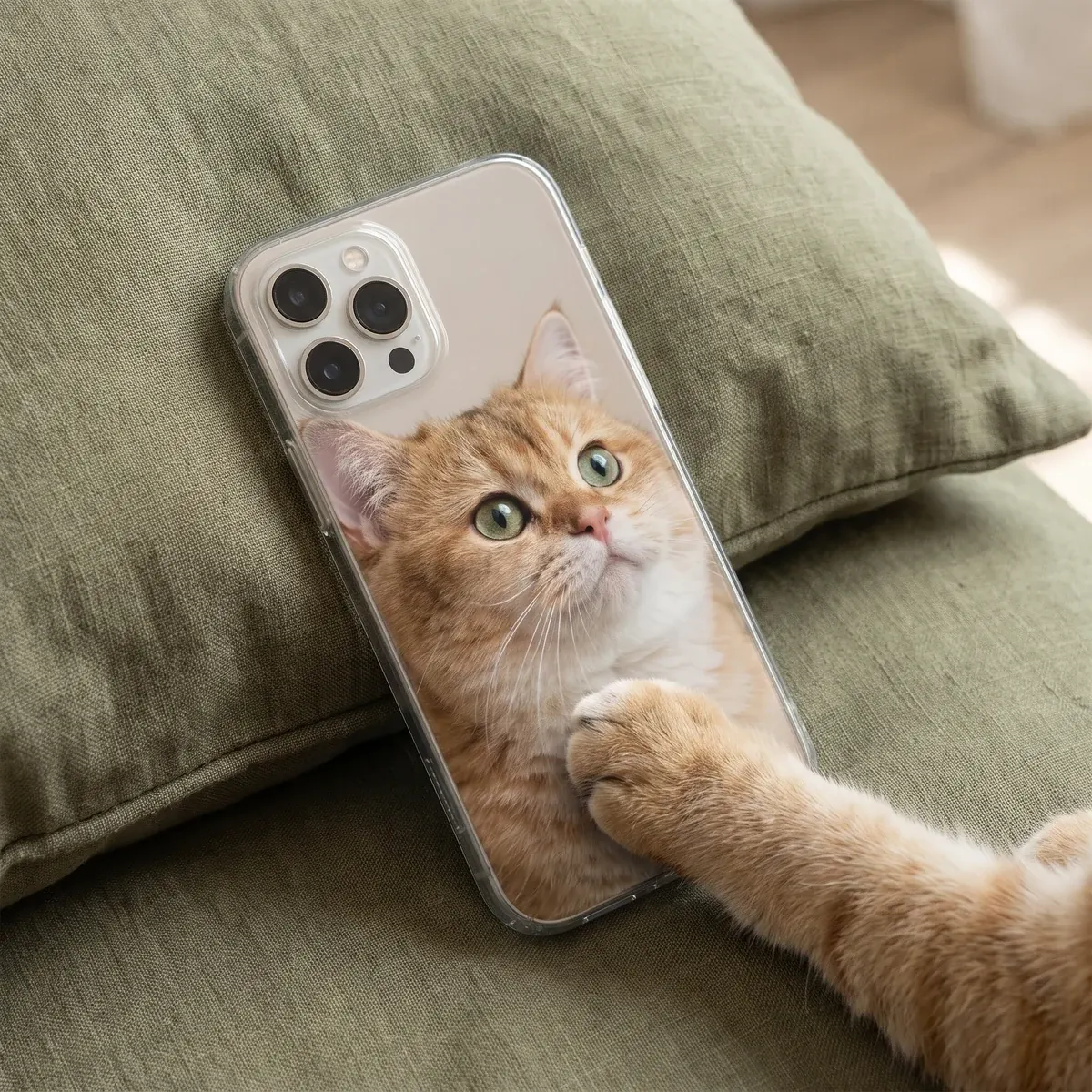
Start with the phone and case type
Before editing the photo, choose the exact phone model the case is for. Each model only shows the case types made for that phone. Sizbo prints customer photos on phone cases including Tough, Snap, Clear, MagSafe Tough, MagSafe Clear, and Magnetic Tough on Android.
For a full view of current case options, go to custom phone cases. If you want help comparing the feel and structure of the available options, read choose a phone case material. The right choice depends on the model you select and the case types shown for it.
- Tough pairs a rigid outer shell with a shock-absorbing liner, which suits a phone that comes along on walks and may get dropped.
- Snap is a slimmer, lighter option.
- Clear prints the photo on the back while leaving the sides clear.
- MagSafe Tough and MagSafe Clear appear where they are made for the selected phone model.
- Magnetic Tough is available on Android models where it is listed.
Pick a photo that can handle being printed
The printed area is much larger than a tiny preview in your camera roll, so the file needs enough clarity at full size. Use the original image from your phone or camera whenever possible. Avoid screenshots, social-media downloads, or pictures saved from messaging apps because those versions are compressed and lose detail.
Open the photo and zoom in before uploading it. Check the eyes, nose, whiskers, and ear edges. If those areas already look fuzzy on the screen, they will not become sharper on the case. Photos taken in daylight usually show cleaner detail and more natural color than pictures taken in dim evening light.
A calm dog often prints better than a dog in motion. If your favorite picture is an action shot, inspect the face closely. Motion blur on paws may not matter, but blur across the eyes or muzzle will be noticeable.
Frame your dog for a tall phone shape
The back of a phone is narrow and tall, so vertical portraits usually work better than wide scenes. A sitting dog, a dog looking toward the camera, or a close portrait can fit the case shape cleanly. A stretched-out sofa photo may lose too much of the body when cropped.
Try to choose a picture taken near your dog’s eye level. Standing above the dog can make the head look oversized and reduce the light in the eyes. A lower angle often feels more direct and helps the portrait read clearly when printed.
Contrast also matters. A dark coat can disappear against dark grass, and a pale coat can blend into sand or a light floor. A black dog against a light wall or bright grass, or a white dog against greenery or stone, keeps the outline easier to see.
Use the safe area for faces and text
The camera opening is cut out of the case. Depending on the phone, it may be in a top corner or across the top. Put ears, eyes, and nose in the middle or lower part of the design rather than close to the opening. The preview shows the exact camera opening for the model you chose.
Edges are another place to be careful. Do not place the dog’s face, name text, or other key detail right on the outside border. Keep important parts inside the center area so the print still looks intentional after the case is made.
Design one photo, or prepare a collage first
Sizbo’s phone-case designer uses one photo per case. If you want puppy-and-grown-up pictures together, or a mix of walks, naps, and muddy paws, make the collage in a photo app first. Save that collage as a single image, then upload it as the design.
A single portrait is often the cleanest choice for a pet photo phone case. If you prefer some space around your dog, zoom out slightly and use a background color. That color can act like a frame around the portrait. You can match the coat, borrow a color from the collar, or use a calm background shade from the original photo.
Add a name without covering the portrait
A short name line can finish the design. In the designer, you can add one short line of text and adjust its style, size, color, and position. Place it over a quiet area such as grass, sky, flooring, or an empty section of the background. Use light letters over a dark area or dark letters over a light area so the name remains readable.
If the photo is already busy, keep the text simple and away from the face, camera opening, and edges. For more name-based gift ideas beyond phone cases, see name gifts.
Build the case in the designer
When your photo is ready, use the case designer to create the layout. You can start at Create your case.
- Choose the model. Select the exact phone the case needs to fit.
- Pick the case type. Choose from the case styles shown for that phone model.
- Design the back. Add your photo, choose a background color, drag the image, and zoom until the face is clear of the camera opening.
- Add text if you want it. Use one short line, then set the style, size, color, and position.
- Check the preview. Use Undo if one change does not work, or Start over if you want to rebuild the layout.
Your added photo stays on your device until you use Add to cart. That means you can test the crop, background, and text placement before sending the final design to the cart.
Common design problems to avoid
- Soft eyes. If the eye area is not sharp in the original, choose another photo.
- Poor contrast. A dark dog on a dark setting, or a light dog on a pale setting, can blend together.
- Camera conflict. Do not let ears, nose, or eyes sit under the camera opening.
- Too wide a scene. A horizontal picture may crop away most of the dog on a vertical phone case.
- Busy text placement. A name is easier to read on a calm part of the image.
Ordering, shipping, and returns
After the preview looks right, add the design to your cart and complete payment in the currency you selected. Sizbo makes and dispatches orders within 2 business days after payment. Shipping is included in the price where Sizbo delivers. For current delivery information, visit shipping.
Because the case is made for your selected model, photo, and text, it cannot be returned because the image, spelling, or phone model was wrong. If the order arrives damaged or does not match the preview, contact Sizbo with the order number and a photo. You can also review the returns page before ordering.
Making something for a dog lover beyond a case? Sizbo also prints customer photos on mugs, bottles, posters, framed posters, desk mats, MacBook, iPad and Kindle cases, AirPods Max covers, and magnetic phone accessories such as a grip, wallet, or ring holder. For more ideas, browse pet photo gifts.
Questions
Can I use a screenshot for my dog case?
Use the original photo if you can. Screenshots and saved social or message images are compressed, so fine fur and facial detail may look less clear when printed.
Does the designer support several dog pictures at once?
The case layout accepts one image. To use several moments, create a collage in a photo app, save it as one picture, and upload that file.
How do I know which case types fit my phone?
Start by selecting your exact phone model. The site then shows only the case types that are made for that model.
What should I check before adding the case to cart?
Confirm the phone model, spelling, crop, camera opening, text position, and image sharpness. The uploaded photo is sent when you use Add to cart.
Can I make matching pet gifts with the same photo?
Yes. You can use customer photos on other Sizbo products such as mugs, bottles, posters, desk mats, laptop and tablet cases, and magnetic phone accessories.