
How to Make a Cat Case From Your Favorite Photo
A cat photo phone case works best when the picture has sharp detail, natural color, and enough room around your cat’s face for the camera cutout. Many cat pictures are taken inside, late in the day, or while the cat is asleep, so it is worth checking the photo before you start designing. Sizbo prints your photo on cases made for the phone model you choose, and each model page shows only the case types available for that device.
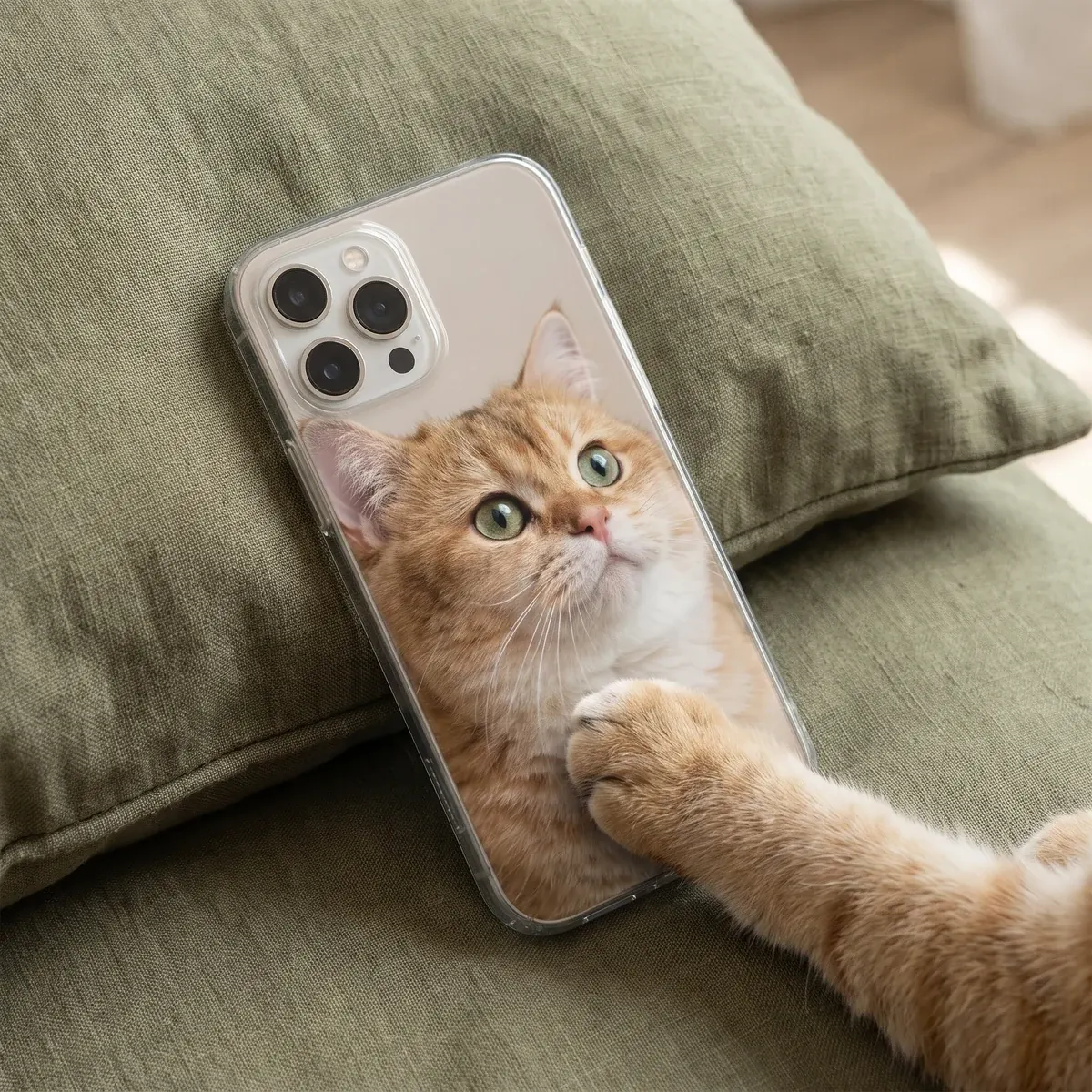
Start with the clearest cat picture you have
Before choosing a case type, check the original photo. A cat phone case uses much more image area than a tiny preview in your camera roll, so soft focus, low light, and compression can become easier to see on the finished design. Use the file from your phone’s photos whenever you can, rather than a screenshot, a social-media download, or a picture that was resent through a messaging app.
- Check the eyes first. Zoom in on your screen and make sure the eye color, pupils, and edges are still clear.
- Look at whiskers and ears. Fine details disappear early when a photo is blurred, so these areas are useful quality checks.
- Choose daylight when possible. A picture taken near a window usually has cleaner color and less grain than an evening indoor shot.
- Avoid flash glare. If the eyes look like bright yellow or green circles, choose a different photo if you have one.
Crop the photo for a tall phone case
Phone cases are tall and narrow, while many cat photos are wider. A curled-up cat on a couch, bed, or rug may look great in your gallery but become small once placed on a case. In the designer, drag the photo and zoom in until your cat fills the area you want. Then review the preview closely, because zooming also makes blur easier to notice.
The camera opening is part of the case shape, so do not place the eyes, ears, whiskers, or text under that area. Put the face in the middle or lower part of the layout, leaving space above the head. The design step shows the camera opening for the exact phone you selected, so use that preview as your guide.
Ideas for one cat, two cats, or a simple color frame
A close portrait is usually the strongest choice for a pet photo phone case because the face stays easy to recognize. If your cats never pose together, Sizbo supports one photo per case, so make a collage in a photo app first, save it as a single picture, and upload that combined image. For a calmer look, zoom out slightly and add a background color that works with the fur, eyes, or room tones.
- One cat: pick a sharp portrait where the eyes and whiskers can sit away from the camera area.
- Two cats: use one picture of both cats, or create one combined image before uploading.
- Sleeping cat: crop tighter so the cat does not get lost in the surrounding room.
- Name or date: add one short text line and place it on a quieter part of the image.
Choose the phone model and case type
Start by selecting the exact phone model in the customizer. Shoppers looking for terms like photo phone case iPhone 17 Pro Max, photo phone case iPhone 16, photo phone case iPhone 14, or photo phone case Samsung S25 Ultra still need to choose the precise model before designing. After that, pick from the case types shown for that phone. Sizbo prints on Tough, Snap, Clear, MagSafe Tough, MagSafe Clear, and Magnetic Tough on Android when those options are listed for the selected model.
A pale cat can look good on a Clear case when you want the phone’s own color to show around the image. Tough includes a shock-absorbing liner for phones that get dropped more often, while Snap is the thinner option. For more help comparing options, read choose a phone case material or browse the main phone cases page.
Use the Sizbo designer
Once the model and case type are selected, move to the design step. Add the cat photo, choose a background color if you want one, drag the picture into place, and zoom until the crop looks right. The photo stays on your device until you add the design to the cart. You can also add one short line of text, then adjust its style, size, color, and position. If the layout is not working, use Undo or Start over and try a cleaner crop.
- Step 1: choose the phone model the case must fit.
- Step 2: select one of the case types listed for that model.
- Step 3: design with one photo, background color, drag, zoom, and optional short text.
Gift notes for cat owners
A cat case can make an easy gift when you can get both the photo and the correct phone model. Ask for a favorite image instead of pulling a compressed copy from social media, and confirm the model before ordering. If you want more pet ideas, visit pet photo gifts; for a broader starting point, see photo gifts.
If the person has been searching for a cat phone case iPhone 15, cat phone case iPhone 16, or cat phone case iPhone 17, the important part is still the same: choose the matching model first, then design from the case types shown for that model.
Common photo mistakes to avoid
- Dark indoor snapshots: low light can add grain and dull the colors.
- Flash eyes: glowing eyes can overpower the portrait.
- Too much room around the cat: crop closer, especially for sleeping poses.
- Important details near the camera cutout: keep faces, ears, whiskers, and words away from that opening.
- Using several separate photos: make a collage first, because the case designer uses one photo per case.
Ordering, shipping, and returns
After you are happy with the preview, add the design to your cart and place the order. Shipping is included in the price where Sizbo delivers, and orders are made and dispatched within 2 business days after payment. You can check more details on shipping.
Because each case is made from your chosen photo, phone model, spelling, and layout, it cannot be returned for those choices after ordering. If the item arrives damaged or does not match the preview, contact Sizbo with the order number and a photo. See returns for the relevant return information.
Questions
Can I design a case with more than one cat photo?
Yes, but the designer accepts one image per case. Combine the cat photos into a single collage in a photo app, save it, and upload that finished image.
Where should I put my cat’s name on the case?
Use a short text line and keep it in a calm area of the design, away from the camera opening and away from detailed whiskers or ears.
What if my cat photo looks cute but a little blurry?
If the eyes, whiskers, or ear tips look soft after you zoom in on your screen, that softness will likely show on the printed case.
Do all phones have the same case choices?
No. Pick the phone model first, then Sizbo shows the case types made for that model.
When is my custom cat case dispatched?
Sizbo makes and dispatches orders within 2 business days after payment, and shipping is included where Sizbo delivers.