
Design a custom photo case for Google Pixel 11
A pixel 11 case from Sizbo can carry a photo, a background color, and one short line of text. To make a custom pixel case, start with the exact Google Pixel model you own, choose one of the case types listed for that model, then place your image in the designer. The Pixel 11 camera bar changes how the artwork sits on the back, so the preview is the part to trust before you add the case to your cart.
This guide is for shoppers comparing options such as a pixel 11 pro case, a pixel 11 case clear, or a pixel 11 case magsafe. Sizbo does not show every case style for every phone. Each model page lists only the case types made for that specific model, so the available choices may be different from what you see for another phone.
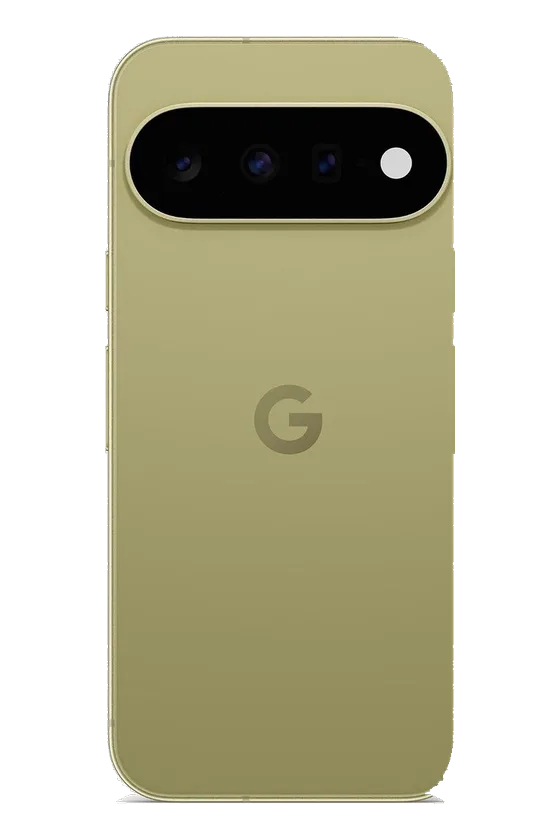
Start with the correct Pixel 11 model
The Pixel 11 family includes Pixel 11, Pixel 11 Pro, and Pixel 11 Pro XL. They need separate cases. The Pro XL is the largest, and the Pixel 11 and Pixel 11 Pro are close enough in size to be confused, but they are not the same. Their camera bar placement also differs, so a case made for one model will not fit the other correctly.
If the phone is in your hand, check the model name through Settings > About phone. If you are buying the case as a gift, ask the recipient or check the phone box. Guessing between Pixel 11 and Pixel 11 Pro is an easy way to order the wrong size. A Pixel 10 case is not a substitute for a Pixel 11 case.
You can begin from the main phone cases page or use the broader customize page if you want to see other photo products too.
Pixel 11 case types available from Sizbo
For Pixel 11, Pixel 11 Pro, and Pixel 11 Pro XL, the available styles are Tough and Magnetic Tough. Snap and Clear are not offered for this phone family. If you searched for a google pixel 11 case clear, check the model page rather than assuming the style exists for Pixel 11.
- Tough: a rigid outer shell over a shock-absorbing liner, with your print on the outer shell. It is the standard choice for everyday use and for phones that may get dropped.
- Magnetic Tough: the Tough construction with a magnetic ring built into the case. This is the option to choose if you want MagSafe-compatible chargers, grips, wallets, ring holders, or car mounts to attach to the back of the case.
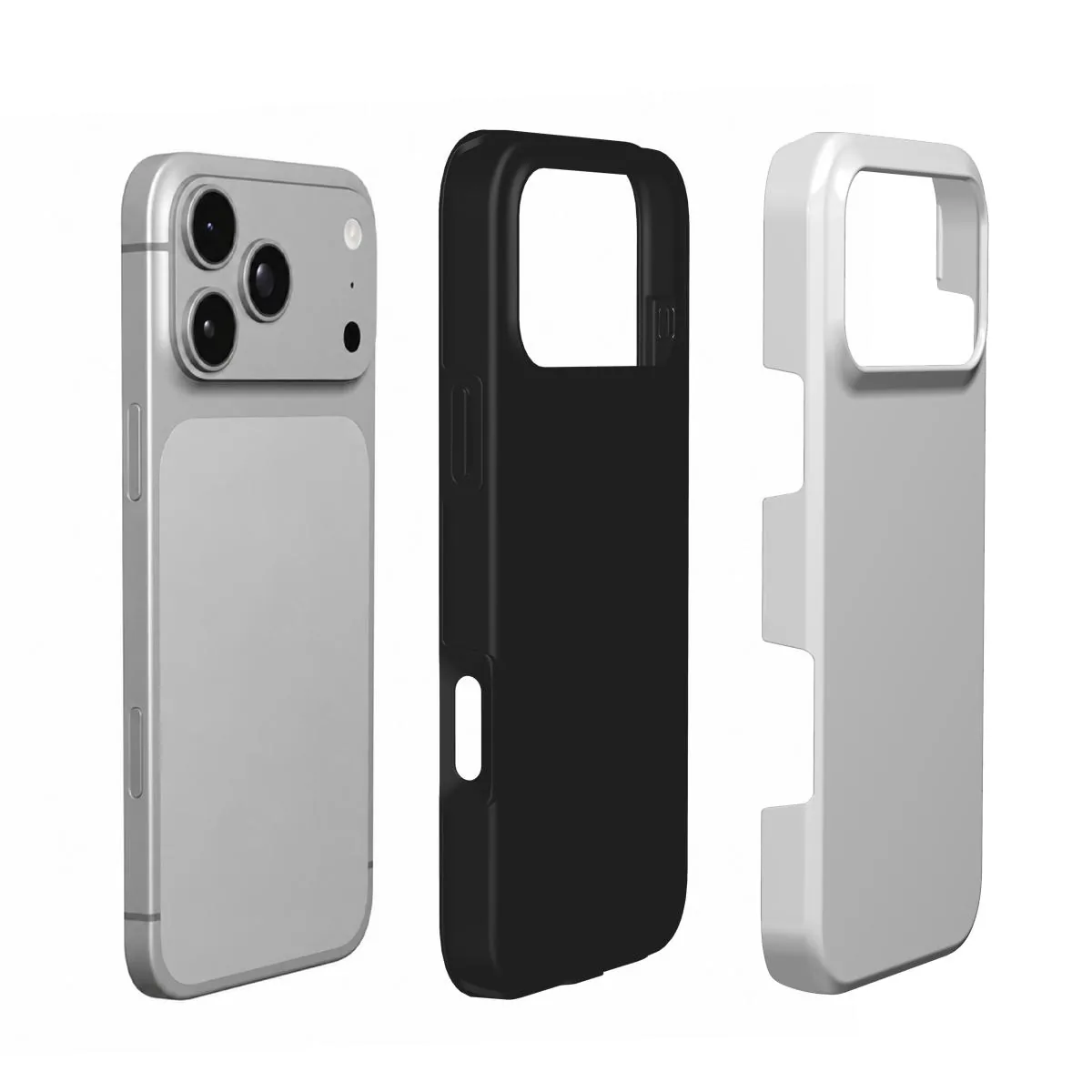
Pixel phones do not include magnets in the back of the phone itself. If magnetic accessories matter to you, the case needs to provide the magnetic ring. If you only plug in a cable or use a regular wireless charging pad, Tough may be enough. Both Tough and Magnetic Tough work with wireless charging.
For more help comparing construction and fit, read Sizbo’s case material guide. If you plan to use add-ons, the magnetic phone accessory guide explains the grip, wallet, and ring holder options.
Plan the photo around the camera bar
The Pixel 11’s wide camera bar cuts through the upper area of the case design. Anything important placed too high may be interrupted by the camera opening. A good preview usually leaves the top of the image simple and keeps the main subject lower.
- Move faces down: place people or pets in the center or lower half so the camera bar does not crowd the head.
- Use calm space at the top: sky, water, a wall, or another plain area works well where the camera bar sits.
- Keep text away from cutouts: a short name or date is easier to read when it sits in the lower third, away from the edge and camera opening.
- Judge the preview: the designer shows the opening for the Pixel model you selected, so review that view rather than the original image alone.
Photo ideas that fit the tall phone shape
A phone back is narrow and tall, so portrait photos usually fit better than wide landscape photos. If you use a horizontal image, expect to zoom and move it until the main part fills the case. Use the original photo from your camera roll when you can. Screenshots and pictures saved from social media are often too small to print sharply across the full back.
- Pet photo: choose one clear image with sharp eyes and keep the face centered. See the dog photo case and cat photo case guides.
- Couple photo: use a close crop with both faces below the camera bar. The couple photo guide has more placement tips.
- Travel photo: a vertical scene with open sky near the top can work well. Sizbo’s travel photo case guide covers this type of image.
- Name-only design: pick a background color and add one short line of text without uploading a photo.
- Photo plus a date: use one favorite image and add a small date or name in the lower part of the case.
How the Sizbo phone-case designer works
The design flow is simple, but the order matters. First choose the phone model, then pick the case type, then design the artwork. After you add a photo, it stays on your device until you select Add to cart. You can set a background color, drag the image, zoom in or out, and add one short line of text. The text can be adjusted by style, size, color, and position.
If you do not like the result, use Undo or Start over. Sizbo’s phone-case designer uses one photo per case. If you want several photos on the same case, make a collage in a photo app first, then upload that finished collage as the single image. For a fuller walkthrough, see how to design a custom phone case.
Before you order
- Confirm the model name instead of choosing by memory, especially between Pixel 11 and Pixel 11 Pro.
- Choose Magnetic Tough if you want magnetic chargers, grips, wallets, ring holders, or car mounts to attach.
- Do not place names, dates, or faces against the camera bar or outer rim.
- Check image sharpness on your screen before ordering. If eyes or fine details already look soft, the print will not make them sharper.
- Remember that Clear and Snap are not listed for Pixel 11. If you searched for pixel 11 case clear, select from the case types actually shown for the model.
Making, shipping, and returns
Sizbo makes and dispatches orders within 2 business days after payment. Shipping is included in the price where Sizbo delivers. Dispatch time is not the same as delivery time, so allow extra room before birthdays, holidays, or other dates that matter. Shipping details are available on the shipping page.
Because personalized cases are made with your selected photo, spelling, and phone model, they cannot be returned because you chose the wrong image, entered the wrong text, or picked the wrong model. If the case arrives damaged or does not match the preview, contact Sizbo with the order number and a photo. The returns page explains the return process.
Questions
What is the safest way to choose between Pixel 11 and Pixel 11 Pro?
Use the phone’s model name instead of judging by size. On the phone, go to Settings, then About phone. If it is a gift, ask the owner or check the box.
Can I make a Pixel 11 case with more than one photo?
The designer accepts one photo for each case. To use multiple images, create a collage in another photo app first and upload the finished collage.
Why is Clear not shown for my Pixel 11 case?
Sizbo lists only the case types made for each phone model. For the Pixel 11 family, the available choices are Tough and Magnetic Tough.
Does the Magnetic Tough case add magnets to a Pixel phone?
Yes. Pixel phones do not have magnets built into the back, so the Magnetic Tough case provides the magnetic ring for compatible magnetic accessories.
Can I return a personalized Pixel 11 case if I picked the wrong model?
No. Personalized cases are made for your selected model and design. If the item arrives damaged or does not match the preview, contact Sizbo with the order number and a photo.