
Create a custom iPhone 18 Pro case with your photo
An iPhone 18 Pro case from Sizbo can carry your own photo, sized for the exact phone you choose. Start with the model, select a case type made for that model, then position your image in the designer. The preview includes the camera opening, so use it to keep important parts of the picture away from the cutout.
This guide focuses on the custom iPhone 18 Pro case and iPhone 18 Pro Max case options. It also helps if you are comparing a custom iPhone 18 Pro case with a personalized iPhone case for another phone before you order from phone cases.
Start with the correct iPhone model
The iPhone 18 Pro and iPhone 18 Pro Max need different cases because the Pro Max is the larger phone. An iPhone 17 Pro or iPhone 17 Pro Max case is not a match for either iPhone 18 Pro model because the body size and camera block changed.
If the phone is with you, confirm the model from Settings, then General, then About. If you are buying the case as a gift, check the phone box or receipt. Picking the wrong model is the main fit problem to avoid.
Each phone model page shows only the case styles Sizbo makes for that phone. For the iPhone 18 Pro and iPhone 18 Pro Max, the available styles are Tough, Snap, Clear, MagSafe Tough, and MagSafe Clear.
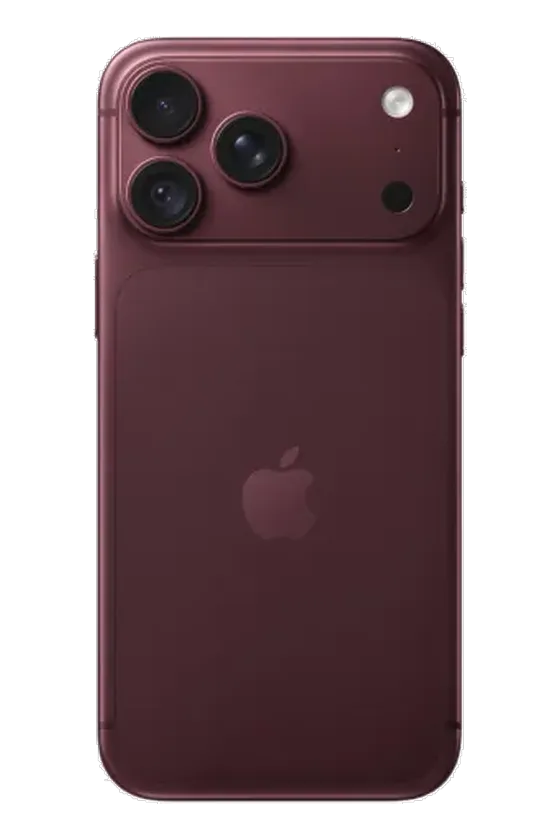
Pick the case style before you design
Your case choice affects the feel of the phone and how magnetic accessories behave. For a deeper comparison, use Choose a phone case material before you build your design.
- Tough: a rigid printed outer shell with a shock-absorbing liner underneath, suited to everyday protection.
- MagSafe Tough: the Tough construction with a magnetic ring inside the case for magnetic chargers, grips, wallets, and car mounts.
- Snap: a slim one-piece shell that clicks onto the phone for a lighter feel.
- Clear: a case with clear sides and your print on the back, so the phone color can show around the image.
- MagSafe Clear: a clear case style that includes a magnetic ring for magnetic accessories.
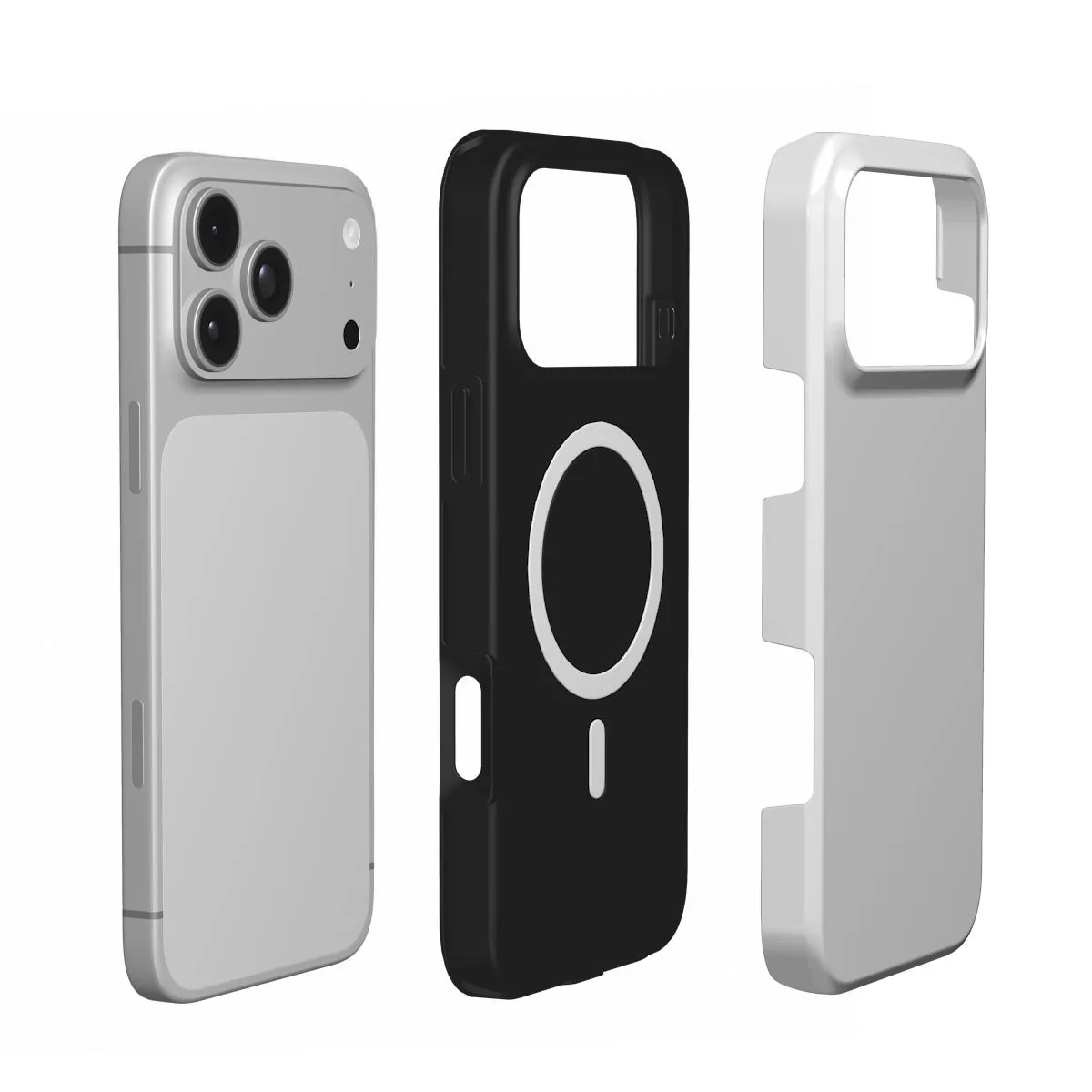
The iPhone 18 Pro includes MagSafe, but a case adds material between the phone and an accessory. MagSafe Tough and MagSafe Clear include their own magnetic ring, which helps compatible magnetic chargers, wallets, grips, and car mounts hold through the case. Tough, Snap, and Clear can be used with wireless charging, but magnetic accessories will not hold well through those three styles.
Design for the camera opening
The camera block is the fixed part of the layout. It is near the top of the phone, and that part of the case is open. Treat the top of the design as space for background, not for a face, name, date, or other key detail.
- Place faces lower: leave room above heads so the camera opening does not interrupt the subject.
- Use simple top areas: sky, a wall, water, or another plain area works well near the cutout.
- Keep text away from edges: a short name, initials, or date is easier to read when placed lower on the case.
- Check the preview closely: the designer shows the opening for the model you selected.
If you searched for an iPhone 18 Pro case MagSafe or an iPhone 18 Pro case clear, the same camera-opening rule applies. The cutout is based on the phone model, not on the photo you upload.
Use the phone-case designer
You can begin from Customize or from the phone case collection. The process is simple: choose the phone model, choose the case type, and then design the case.
- Add one photo: the case uses one image. If you want several pictures, create a collage in a photo app first, save it as one picture, and upload that.
- Move and zoom: drag the image and zoom until the subject sits clear of the camera opening.
- Choose a background color: this can frame the photo if you zoom out slightly.
- Add one short line of text: set the style, size, color, and position. This works for a personalized iPhone case with initials, a name, or a date.
- Edit with care: use Undo if you need to step back, or Start over if you want a clean design.
Your photo stays on your device until you select Add to cart. Before adding the case, review the preview and check any spelling. For more design help, see How to design a custom phone case.
Photo ideas that fit the shape
A vertical portrait usually suits the tall back of the iPhone 18 Pro best. Use the original image from your camera roll when possible. Screenshots and pictures saved from messaging apps are compressed, so they can look soft when printed, especially on the larger Pro Max case.
- Pet portrait: place the pet lower with uncluttered space above the head. For more tips, see the dog photo phone case guide or the cat photo phone case guide.
- Couple photo: choose a picture where both faces are close together and not near the camera area. The couple photo phone case guide covers this layout.
- Bordered look: zoom out a little and use a background color around the image.
- Collage: combine several favorites in a photo app first, then upload the finished collage as the single case image.
Before you place the order
Check three things: the model name, the case type, and the preview. Do not order a Pro Max case for a Pro phone, and do not reuse an iPhone 17 Pro size. If you plan to use a magnetic wallet, grip, charger, or car mount, choose MagSafe Tough or MagSafe Clear rather than Tough, Snap, or Clear.
Sizbo makes and dispatches orders within 2 business days after payment. Shipping is included in the price where Sizbo delivers. For delivery information, visit Shipping. For order help after delivery, use Returns.
Sizbo also prints customer photos on mugs, bottles, posters, framed posters, desk mats, MacBook, iPad and Kindle cases, AirPods Max covers, and magnetic phone accessories such as a grip, wallet, and ring holder. You can browse related photo gifts in Gifts, Bottles and mugs, Posters, Desk mats, Laptop and tablet cases, and Phone accessories.
Questions
Can I use an iPhone 17 Pro case on an iPhone 18 Pro?
No. The iPhone 18 Pro and iPhone 18 Pro Max have their own case sizes, and older iPhone 17 Pro cases do not match the changed size and camera area.
Which iPhone 18 Pro case should I choose for magnetic accessories?
Choose MagSafe Tough or MagSafe Clear if you want magnetic chargers, wallets, grips, or car mounts to hold through the case.
Can Sizbo print a collage on the case?
Yes, if you make the collage first in a photo app and upload it as one image. The phone-case designer accepts one photo per case.
How do I avoid covering a face with the camera cutout?
Use the preview as your guide, move the photo lower if needed, and keep the top area for background rather than faces or text.
When is the case made?
After payment, Sizbo makes and dispatches the order within 2 business days. Shipping is included in the price where Sizbo delivers.