
Make a Custom Samsung Galaxy S26 Case
Shopping for a galaxy s26 case that uses your own photo starts with the exact phone in your hand. Samsung’s S26 line includes the S26, S26 Plus, S26 Ultra, and S26 FE, and the case shape is different for each one. On Sizbo, you choose the model first, then pick from the case types made for that model, and then place your image in the designer.
This page covers model checking, case-type choices, camera cutouts, photo placement, and the ordering cautions that matter before you make a custom samsung galaxy s26 case. You can also begin from all phone cases or go straight to the customizer.
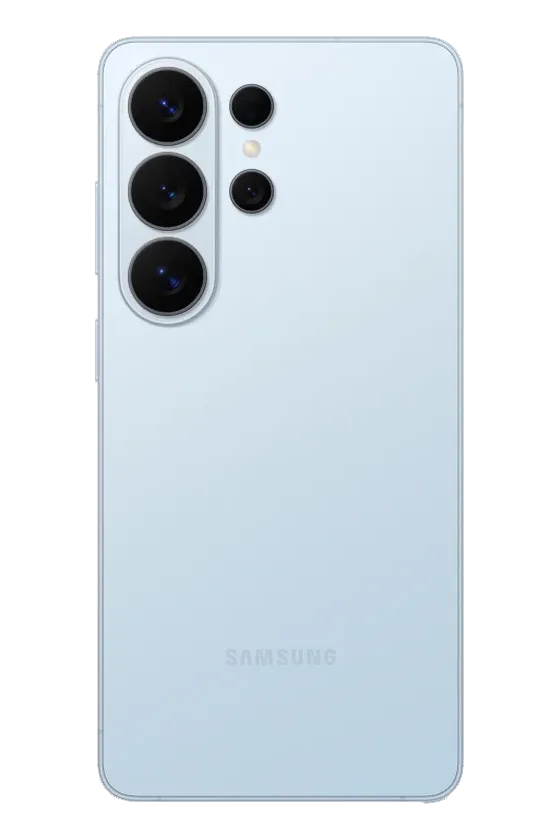
Check the exact Galaxy S26 model first
A case made for one S26 model should not be treated as interchangeable with another. The body size and camera area are not the same across the line, and an S25 case is not a match for an S26 with a similar name. To confirm your phone, open Settings, choose About phone, and read the model name shown there.
- Galaxy S26: the smaller model in the group.
- Galaxy S26 Plus: similar in idea to the S26, but larger.
- Galaxy S26 Ultra: the biggest option, with a larger camera area.
- Galaxy S26 FE: a separate size with its own camera layout.
Because each phone model lists only the case types made for it, the designer is the best place to verify what you can order for your exact Samsung.
Pick the S26 case type shown for your model
For the Galaxy S26, S26 Plus, and S26 Ultra, Sizbo offers Tough, Magnetic Tough, Snap, and Clear. The Galaxy S26 FE is available in Tough and Magnetic Tough. If you are comparing materials before ordering, read the phone case material guide.
| Case type | How it is built | Why choose it |
|---|---|---|
| Tough | A hard outer case over a shock-absorbing liner, with the photo printed on the outer shell. | Everyday use and added protection. |
| Magnetic Tough | A Tough case with a magnetic ring inside the case. | Using magnetic phone accessories such as a grip, wallet, or ring holder. |
| Snap | A thin, single-piece shell that fits around the phone. | A slimmer, lighter feel on the S26, S26 Plus, or S26 Ultra. |
| Clear | Your image printed on the back while the sides stay clear. | Letting the phone color show around the artwork. |
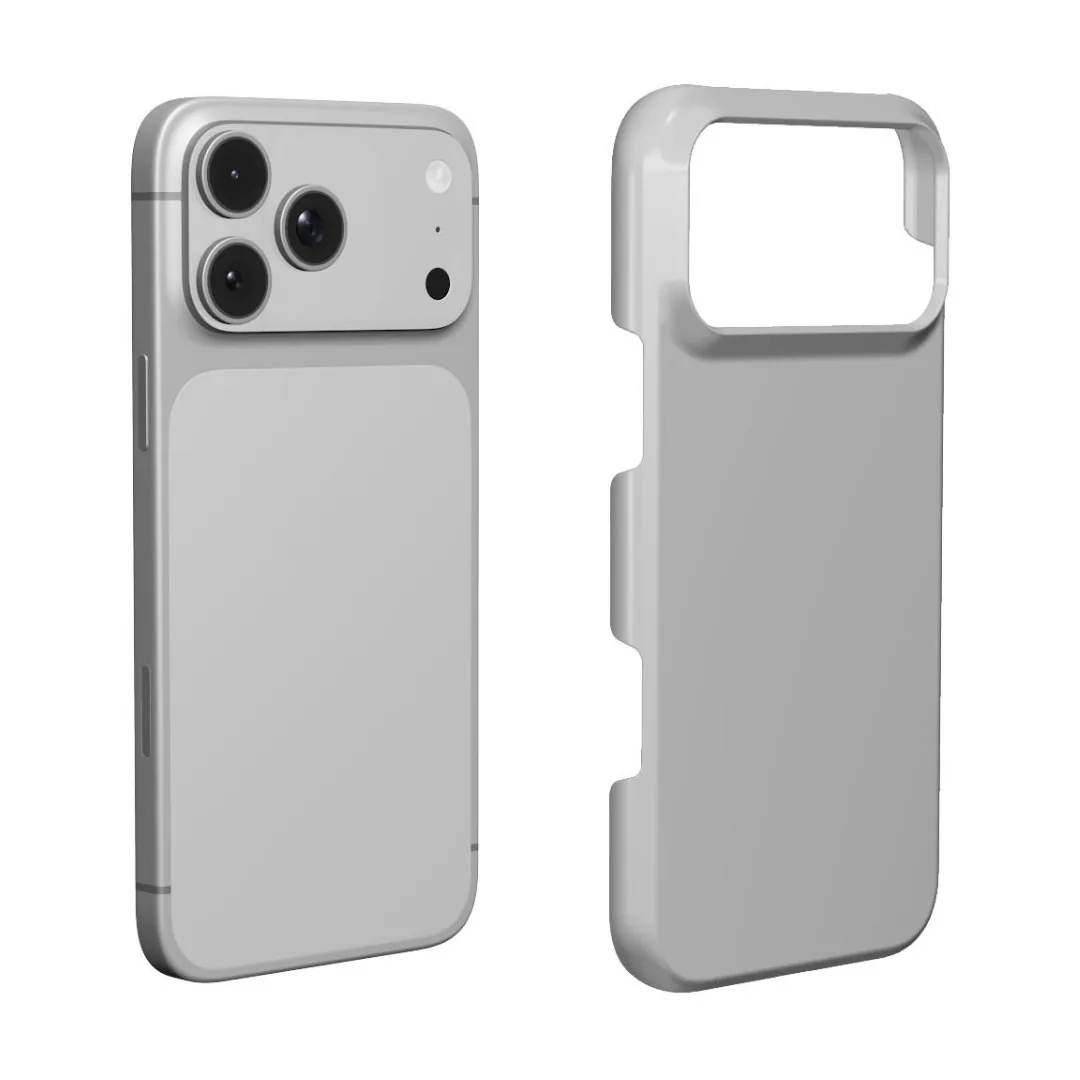
Use Magnetic Tough for magnetic accessories
Galaxy phones do not have magnets built into the back. If you want a magnetic grip, magnetic wallet, or magnetic ring holder to attach, choose Magnetic Tough. See the magnetic phone accessory guide or browse phone accessories if you are pairing your case with an add-on.
If you do not use magnetic accessories, Tough, Snap, or Clear may be enough for your needs. The S26 case types work with wireless charging.
Plan around the camera cutout
The camera area sits at the upper left on every Galaxy S26 model. The Ultra has three large lenses in a vertical line with smaller sensors nearby. On the standard S26, the lenses are grouped in that same corner. Since the case is cut away there, important parts of your image should not sit under that area.
- Move faces away from the upper left. Keep people, pets, and important details closer to the middle or right side.
- Use simple background near the cameras. Sky, wall, grass, or another plain area works better where the cutout will interrupt the print.
- Place text lower on the case. A name, date, or short phrase is safer in the lower part of the design.
- Design each matching case separately. If you are making an S26 case and an S26 Ultra case, check the crop on each model because the camera placement is different.
Choose a photo that fits the print area
A personalized samsung case looks better when the original photo is clear. This matters especially on the S26 Ultra because the phone is larger and the picture prints bigger. Before uploading, zoom in on your photo on your own screen. If faces, eyes, fur, or edges already look blurry there, the case print will not make them sharper.
- Single portrait: good for one person, one pet, or one travel memory.
- Two people or pets: choose a photo where they are already close together, or see the best friend phone case guide.
- Family image: crop tightly enough that faces remain visible; the family phone case guide has more planning tips.
- Text-only design: use a background color with a name or date if you do not want to add a photo.
The phone-case designer uses one photo per case. If you want several pictures on one case, create a collage in a photo app first, then upload that finished collage as the single image.
Design your Galaxy S26 case
The design flow is simple: select the phone model, select the case type, and then design the back. For a broader walkthrough, use the custom phone case design guide.
- Choose the model: pick S26, S26 Plus, S26 Ultra, or S26 FE.
- Select the available case type: choose from the options listed for that specific model.
- Add your photo: tap the case preview and upload your image. The photo stays on your device until you add the design to your cart.
- Adjust the image: drag to reposition and zoom so the main subject avoids the camera area.
- Set the background color: choose a color for any exposed background area.
- Add one short line of text: adjust its style, size, color, and placement.
- Fix changes if needed: use Undo or Start over.
Avoid these common ordering problems
- Choosing S26 when your phone is S26 Plus, S26 Ultra, or S26 FE.
- Ordering for an S25 because the name sounds close to an S26 model.
- Expecting magnetic accessories to attach without a Magnetic Tough case.
- Putting a face, name, or date where the upper-left camera cutout will remove part of the print.
- Using a small or heavily compressed image, especially for the larger S26 Ultra.
Shipping, dispatch, and returns
Shipping is included in the price where Sizbo delivers. Orders are made and dispatched within 2 business days after payment. You can review the current shipping information at shipping.
Personalized cases are made for your order, so they cannot be returned because the uploaded photo, spelling, or phone model was wrong. If the case arrives damaged or does not match the preview, contact Sizbo with the order number and a photo. The returns page explains where to start.
Sizbo can also print customer photos on mugs, bottles, posters, framed posters, desk mats, MacBook cases, iPad cases, Kindle cases, AirPods Max covers, and magnetic phone accessories. If you want a matching gift, browse photo gifts, bottles and mugs, or posters.
Questions
Can I order the same case for every Galaxy S26 model?
No. The S26, S26 Plus, S26 Ultra, and S26 FE use different sizes and camera layouts, so choose the exact model shown in your phone settings.
What is the magnetic option called for Samsung Galaxy S26 cases?
For Android models, Sizbo lists it as Magnetic Tough. It is the Tough case style with a magnetic ring inside for magnetic accessories.
Can I put more than one picture on the case?
The designer accepts one photo per case. To use several images, make a collage in another photo app first and upload the finished collage.
When is my custom S26 case made?
Sizbo makes and dispatches orders within 2 business days after payment. Shipping is included in the price where Sizbo delivers.
What if I type the wrong name or choose the wrong phone model?
Because the case is personalized, it cannot be returned for a customer photo, spelling, or model mistake. Check the preview and model before ordering.