
Make a custom iPhone 17 Air case that fits the Air
When you want an iPhone 17 Air case that shows your own photo, the fit and the camera opening matter as much as the picture. Sizbo lets you make a custom iPhone 17 Air case by choosing the Air model, picking a compatible case type, and placing one photo in the preview. If you came here searching for a personalized iPhone case, start with the Air’s shape: it is not the same as the iPhone 17, iPhone 17 Pro, or iPhone 17 Pro Max.
You can browse custom phone cases or open the customizer when you are ready to build yours. This guide focuses on the iPhone 17 Air, including how to leave room for the wide camera area, when to choose a thin case, and when a stronger build makes more sense.
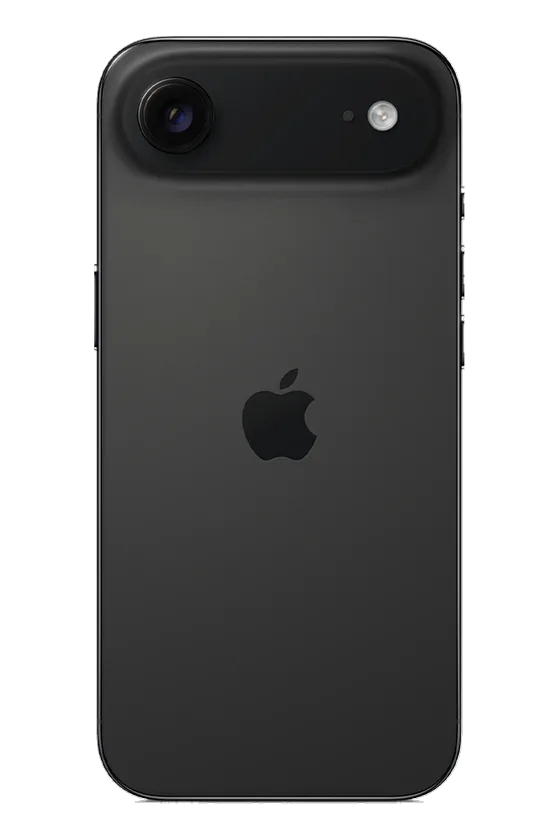
Confirm the model before you design
The Air uses its own dimensions and camera placement. A case labeled for iPhone 17, iPhone 17 Pro, or iPhone 17 Pro Max is not the right fit for it. If you are unsure which phone is in your hand, check the device menu at Settings, General, About.
On Sizbo, each phone model shows only the case types made for that model. That helps keep you from selecting a material that is not offered for the phone you picked. If you are comparing materials across models, the phone case material guide explains how Sizbo’s case styles differ.
Pick from the five iPhone 17 Air case styles
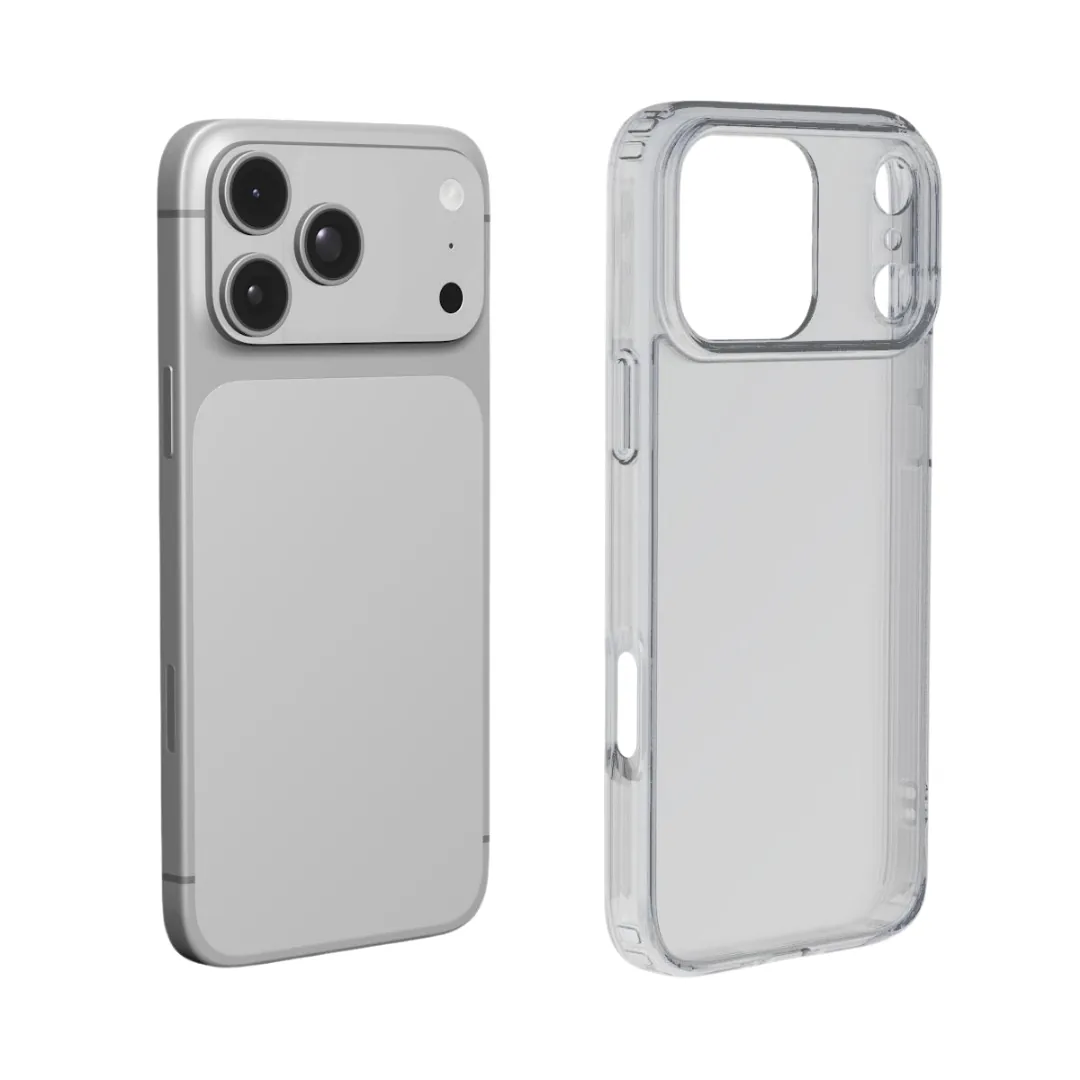
The iPhone 17 Air is available in Snap, Clear, MagSafe Clear, Tough, and MagSafe Tough. The main decision is how much bulk you are willing to add to a thin phone.
- Snap: a slim, one-piece shell that clips around the phone. It is the best match if you want the Air to stay as light and thin as possible.
- Clear: a light case with your print on the back and transparent sides, so the phone color can still show around the design.
- MagSafe Clear: the clear option with a magnetic ring for shoppers who want a custom iPhone 17 Air case MagSafe setup.
- Tough: a hard outer shell over a shock-absorbing liner, with the print on the outside. Choose it when everyday protection matters more than the slimmest feel.
- MagSafe Tough: the Tough build with a magnetic ring, made for magnetic chargers, grips, wallets, and car mounts.
Match the case to how you use the phone
If thinness is your top reason for choosing the Air, Snap is usually the most natural choice. Clear also keeps the case light and adds the visual detail of transparent sides. Both are good options for a simple photo, a background color, or a personalized iPhone case with initials.
Tough is the better option when the phone often shares a bag or pocket with keys, or when drops are a real concern. It changes the feel more than Snap or Clear because of the liner, but that added layer is the point.
If you use magnetic accessories, choose either MagSafe Clear or MagSafe Tough. The Air has MagSafe built in, but the magnetic ring in those case types helps accessories hold firmly through the case. Snap, Clear, and Tough work with wireless charging, but magnetic wallets, grips, and similar items will not attach as strongly. For more on add-ons, see phone accessories or the magnetic grip, wallet, and ring holder guide.
Place your photo below the camera area
The camera opening runs across the top of the iPhone 17 Air case. Treat that upper strip as space for sky, wall, water, or another background area, not the main subject. A face, pet, name, or date should sit in the middle or lower part of the design.
- Keep faces away from the top edge: leave open space above hair, ears, or a hat.
- Use calm background near the camera: simple areas work better than important details.
- Place text low: one short line, such as a name, date, or initials, is easier to read and avoids the camera cutout.
A single strong image usually suits the Air better than a busy layout. Use the original image from your camera roll rather than a screenshot, because a soft or low-detail image will be more obvious when printed across the back of a case. If your design is for a pet, the dog photo phone case guide has more photo-picking tips.
How the Sizbo designer works
The design flow is simple: choose the phone model, choose the case type, then build the artwork. Add one photo, select a background color if you want one, and use drag and zoom to position the image. You can add one short line of text and adjust its style, size, color, and placement.
Your uploaded photo stays on your device until you add the item to your cart. If you do not like the result, use Undo or Start over. Sizbo prints one photo per case; if you want several pictures on the same case, create a collage in a photo app first, then upload that finished collage as the single image. For a broader walkthrough, visit how to design a custom phone case.
Before you add the case to your cart
- Check that the selected model says iPhone 17 Air, not iPhone 17, iPhone 17 Pro, or iPhone 17 Pro Max.
- Decide whether slim feel or stronger protection matters more.
- Use MagSafe Clear or MagSafe Tough if magnetic accessories are part of your daily setup.
- Look at the preview and make sure no face, date, name, or initials sits under the camera opening.
- Check spelling carefully, because the printed case is made from your design.
Production, shipping, and returns
Shipping is included in the price where Sizbo delivers. After payment, orders are made and dispatched within 2 business days. You can check the current delivery information on the shipping page.
Because personalized cases are made for the customer’s selected photo, wording, and model, they cannot be returned because the image, spelling, or phone model was chosen incorrectly. If the case arrives damaged or does not match the preview, contact Sizbo with the order number and a photo. The returns page explains the policy.
Sizbo also prints customer photos on mugs, bottles, posters, framed posters, desk mats, MacBook, iPad and Kindle cases, AirPods Max covers, and magnetic phone accessories. If you want a matching gift, you can explore photo gifts after finishing your case.
Questions
Can I order the same case style for every phone model?
No. Each phone model page shows the case types Sizbo makes for that specific model, so the available choices can depend on the phone you select.
How many photos can I upload for one iPhone 17 Air case?
The designer uses one photo per case. To use multiple images, make a collage in another photo app first and upload that collage as the single picture.
Does my uploaded photo leave my device right away?
No. In the phone-case designer, the photo stays on your device until you choose Add to cart.
What should I do if I picked the wrong model or misspelled the text?
Review the preview and model before ordering. Personalized cases are made from your choices, so Sizbo cannot take them back for an incorrect photo, spelling, or model selection.
Which iPhone 17 Air options are best for magnetic accessories?
Choose MagSafe Clear or MagSafe Tough if you plan to use magnetic chargers, wallets, grips, or car mounts.